

How to Connect the HondaLink App
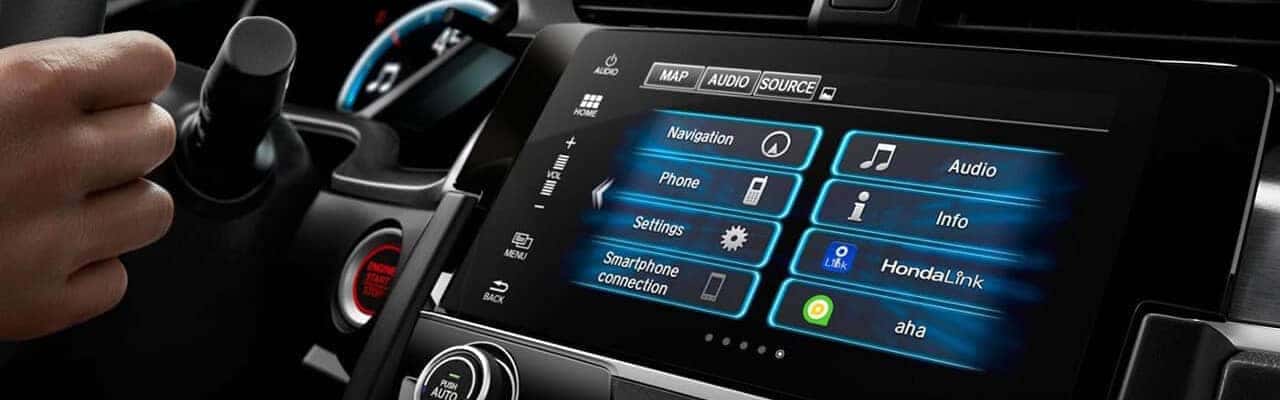
The HondaLink connectivity app suite allows Abline drivers to connect their compatible phones to their cars, providing easy access to music, social media, maps, and more. Since HondaLink is an application-based platform, you are also able to download other helpful apps, such as HondaLink Navigation, HondaLink Aha, and much more. Through Honda Connect, you can take advantage of the handy HondaLink remote start and other exciting features. Learn more about the HondaLink app from the experts at Little Honda.
What Can You Do with HondaLink Connect?
Along with HondaLink remote start, HondaLink Connect provides convenient access for you to:
- Remotely lock/unlock doors
- Read your Honda owner’s manual
- Check the weather
- Get parking reminders
- Find points of interest near you
- Use HondaLink Navigation to get you to your destination
- Read messages from Honda
- Request roadside assistance
- View the Maintenance Minder
HondaLink can help you keep up to date with Honda service, and it allows you to schedule service. Just select “Services,” and then “Schedule Service.” You can then search for Honda dealers near Midland or Odessa, check off the services you need, input your contact info, and schedule your preferred date and time. The HondaLink app is a quick and easy way to make sure that you’re taking care of all your Honda maintenance needs.
How to Set Up HondaLink Connect
Getting your Honda Connect app suite up and running is easy to do. Follow these steps and you will have access to HondaLink remote start and more:
- Download HondaLink to your phone, and open the app.
- Choose “Settings.” Select “Manage Vehicles,” and hit “Add Vehicle.”
- Input the VIN number, and your car will be connected to HondaLink.
- The app uses your phone’s GPS system to display your location, give weather updates, and help you find local points of interest.
Which Honda Vehicles Have the HondaLink App?
The HondaLink app is available for the following vehicles:
Test the HondaLink Connect App at Little Honda
Would you like to try out the many features of the HondaLink app for yourself? Contact us to schedule a test drive at our dealership in San Angelo, and we’ll put you behind the wheel of a new model with the latest HondaLink Connect conveniences and technologies. We’ll be happy to help you learn more about other Honda tech features, from how to connect to Apple CarPlay® and Android Auto™ to filling you in on the innovative features of the Honda Sensing® safety suite. We’d even be happy to answer any questions you have about Honda history! Apply for financing to get pre-approved for the Honda upgrade you truly deserve.
More from Little Honda
2026 Honda HR-V Reliability
If you’re considering the new Honda HR-V, one of the first questions on your mind is likely to be about its reliability. After all, reliability is a cornerstone of what makes a subcompact SUV truly appealing. With a reputation for durability and long life, Honda has built a strong legacy among drivers, from those who…
2026 Honda HR-V Interior
The 2026 Honda HR-V interior brings together intuitive comfort, smart design, and flexible space for drivers across Abline. Whether you’re focused on refined finishes or everyday versatility, this subcompact SUV is engineered to deliver. The latest Honda HR-V dimensions make it easy to stretch out and store what you need, while thoughtful appointments elevate every…
2026 Honda HR-V Trim Levels
From commutes to Abline to weekend drives out of town, the 2026 Honda SUV HR-V delivers style, technology, and efficiency in one sleek package. The latest lineup features three distinctive trims, each tailored to different lifestyles. Whether you prioritize value, want the bold styling of the Honda HR-V Sport, or prefer the luxury refinements of…
0 comment(s) so far on How to Connect the HondaLink App